

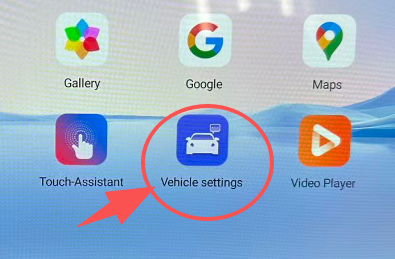
1. Install new vehicle software
1) APK software: Download
2) Install the four files one by one through the File Manager
3) Please download these four APKs to a USB drive and insert the USB drive into the unit’s USB port.
Open the file manager and install the four APKs one by one.
Swipe down the screen and click restart to reboot the unit.
HOW to: https://www.youtube.com/shorts/u86kVmEiYGg
2. Update CAN protocol version
- CAN upgrade file: https://drive.google.com/drive/folders/12W30_L_p3IME26kJqqWsiUAaDAocKfOq
- HOW to upgrade: https://drive.google.com/file/d/1eh-c0KA52Q1dz5Gacj3ayc-286q-zEq5
- Go to Settings → Protocol Settings → Protocol Box Upgrade, then click SearchSelect the CAN protocol file from the USB → Upgrade
- Check in Settings → About Device
- Confirm whether the upgrade was successful
3. Manually switch to AUX


Share:
Choosing Between 4+64GB and 8+128GB Android Car Screens: What's Right for You?
Fixed: Lexus GX460 Screen Blackout, Reboot Loop Issues (The Ultimate Solution)